

Magic365 Casino Login
Logging in to Magic365 should be quick, but doing it safely matters even more than doing it fast. This page explains how to access your account on desktop or mobile, what to do if you can’t sign in, and how to avoid common security mistakes (like landing on the wrong website or getting locked out). Since Magic365 is an offshore brand, availability and access can vary by region—so always make sure online gambling is legal where you live and that you meet the legal age requirement before you try to log in.
How to Log In to Magic365
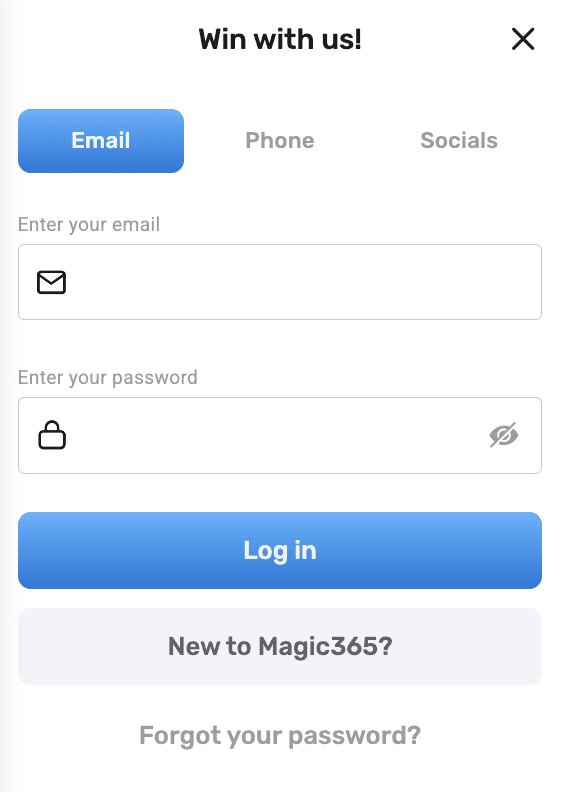
Step-by-step login
- Open the official Magic365 website (use your saved bookmark if you have one).
- Click Log In / Sign In (usually in the top-right corner).
- Enter the email (or username) you used during registration.
- Type your password carefully (watch out for autocorrect on saved passwords).
- Complete any security check if prompted (e.g., CAPTCHA or verification code).
- You should be redirected to your account lobby.
Step-by-step login
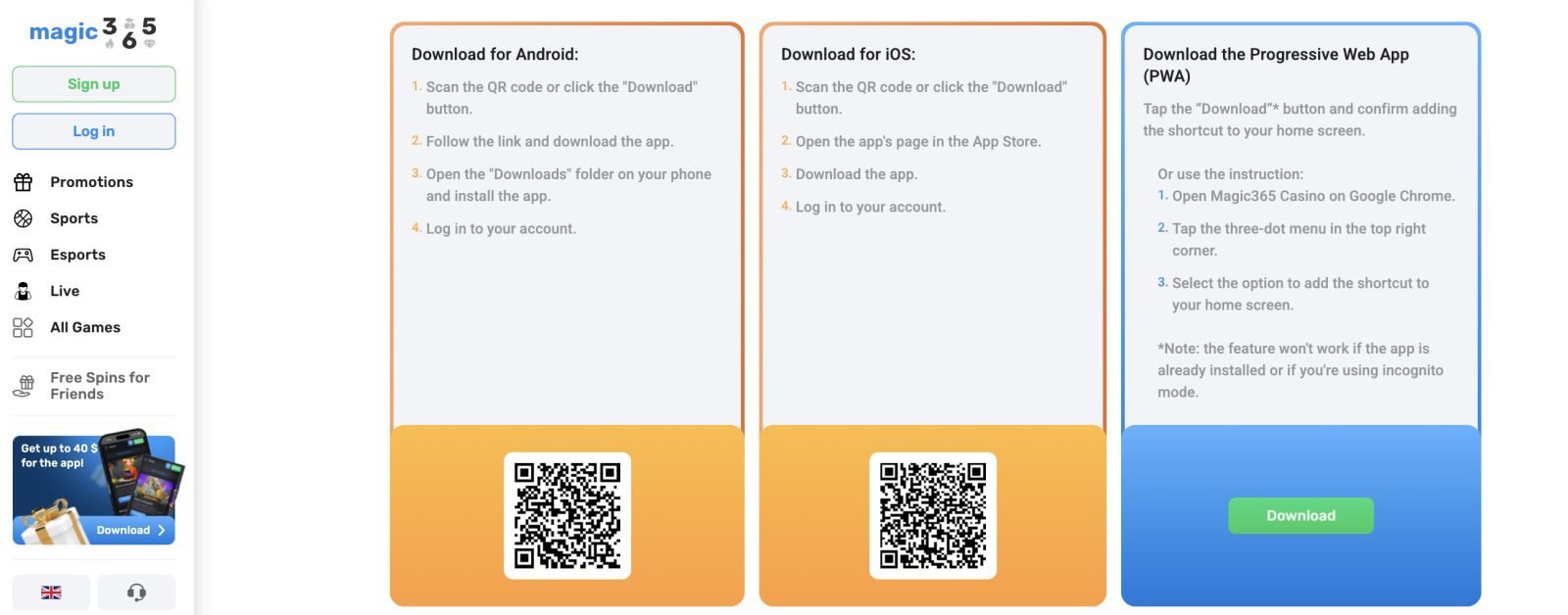
You can log in either via mobile browser or (if available to you) an app:
- Open the Magic365 site (or app).
- Tap Log In.
- Enter your email/username + password.
- If you use Face ID / fingerprint on your device, you can enable it only after you confirm you’re on the correct site/app.
- Head to the lobby and check your balance, bonuses, and settings.
Tip: If you often log in from mobile, consider using a password manager so you don’t reuse simple passwords.
Quick Safety Checklist Before You Sign In
Confirm you’re on the correct website
Login pages are the #1 target for phishing. Before entering details:
- Check the URL in the address bar
- Look for HTTPS and the lock icon
- Avoid clicking “Magic365 login” links from random ads or unknown social posts
- If the brand uses multiple domains/mirrors in some regions, use the link you used when you first registered
Use a strong password
A good casino login password should be:
- 12+ characters
- A mix of letters, numbers, symbols
- Not used anywhere else
Enable extra security
If Magic365 offers:
- email verification codes
- 2-step verification
- device confirmation
Turn it on. It’s worth it.
Common Login Problems and Fixes
“Incorrect password”
Try this first:
- Turn off Caps Lock
- Re-type manually (don’t rely on auto-fill)
- If you copied the password, make sure you didn’t include a space at the end
- Try another browser (Chrome/Safari/Firefox) or private mode
“Account locked” or too many attempts
This typically happens after several incorrect tries. Do this:
- Stop retrying (more tries can extend the lock)
- Wait a short time and then reset your password
- Contact support if you can’t reset
If it still fails: use Forgot Password (see below).
“This website is not available in your country”
Some offshore brands restrict access depending on region. If you see a geo-block notice:
- Don’t try to bypass restrictions
- Check if there is an official regional version/mirror you used previously
- If you’re traveling, try again from your normal connection later
- If access isn’t available, your safest choice is to use a locally regulated option instead
Page loads but buttons don’t work
Usually a browser issue:
- Clear cache and cookies
- Disable ad blockers for that page (temporarily)
- Turn off VPN/proxy (these often cause security blocks)
- Update your browser
- Try mobile data instead of Wi-Fi (or the opposite)
How to Reset Your Magic365 Password
If you forget your password or suspect someone else has access, reset it immediately:
- On the login screen, click Forgot Password?
- Enter your email/username.
- Check your email for a reset link or code.
- Set a new strong password (don’t reuse your old one).
- Log in and review your account security settings.
Important: If you don’t receive the reset email:
- Check Spam/Junk folders
- Search your inbox for “Magic365”
- Wait a few minutes and try again
- If still nothing, contact support
Login Tips That Prevent Withdrawal Delays Later
A lot of “login problems” are actually “account readiness” problems that show up later when someone tries to withdraw. If you want fewer issues down the line:
Verify your account early (KYC)
Even if you can log in fine, you may still need verification for withdrawals. To reduce stress:
- Upload ID and proof of address early
- Keep your details consistent (name/address should match your documents)
- Avoid creating multiple accounts (this can trigger security flags)
Keep your payment method consistent
Many casinos prefer you withdraw using the same method you used to deposit. Switching methods can lead to extra checks.
Don’t share your account
Sharing login credentials (even with a friend) can:
- trigger security locks
- create verification complications
- risk loss of funds if disputes happen
Magic365 Login on Mobile vs Desktop
Desktop login is best for:
- full settings access
- document uploads for verification
- reviewing bonus terms more comfortably
Mobile login is best for:
- quick sessions
- checking promotions
- live casino browsing
- sportsbook checks (when available)
If your goal is smooth account management, desktop is usually easier. If your goal is convenience, mobile is great—as long as you use secure connections.
Responsible Use Reminder
Online gambling should stay entertainment. Set a budget before you deposit, take breaks, and avoid chasing losses. If logging in starts to feel like a compulsion rather than a choice, take a pause and consider using self-exclusion or support options.
FAQ
Why can’t I log in to Magic365?
Most login issues come from incorrect passwords, account locks after too many attempts, browser cache problems, or region-based access restrictions.
What should I do if I forgot my password?
Use Forgot Password on the login page, reset your password via email, and create a new strong password you don’t use elsewhere.
Is there a Magic365 app login?
In some regions, Magic365 may offer an app or a mobile-optimized site. If an app is available to you, only download it from official sources.
Can I log in from Canada?
Access can vary by region and site version. If you see a restriction notice, don’t try to bypass it—verify availability and local rules.
How can I make my account more secure?
Use a strong unique password, enable any available security checks, avoid public Wi-Fi for payments, and never share your login